How to Score a Tennis Match on Your Phone (Courtside Scoring Guide)
A step-by-step courtside guide to scoring tennis matches on your phone — setup, common mistakes, handling connection issues, and what stats actually matter to track.

How to Score a Tennis Match on Your Phone (Courtside Scoring Guide)
Anyone who's tried keeping score with a pen and a crumpled piece of paper at the fence knows the problem: you look away for one point, someone disputes the score, and now you're reconstructing the last three games from memory while the match keeps going. Scoring from a phone solves this — but only if you know how to do it without fumbling the app instead of watching the match.
Here's a practical, step-by-step approach to scoring a match courtside, what apps are actually built for this, and what to do with that data afterward.
Why Bother Scoring on a Phone at All
Beyond just settling disputes about the score, live scoring apps solve three real problems for competitive junior tennis families.
Accuracy under pressure matters more than it seems. Tennis scoring — love, 15, 30, 40, deuce, ad — is confusing enough live, especially in a tight third set when everyone is tired and the stakes feel high. Apps handle the math automatically so no one has to argue about whether it's ad-in or ad-out three games later.
Remote following matters for families juggling more than one commitment at once. A parent at work, a sibling at another tournament, or a coach traveling can follow a match live without being courtside — which matters enormously for families managing multiple kids' schedules or long tournament weeks where being physically present at every match simply isn't realistic.
A permanent record is the part that pays off months later. Instead of the score existing only in someone's memory once the match ends, it becomes part of a searchable history that shows trends over months and years — exactly the kind of record that turns into something useful for tracking development or building a recruitment profile down the line.
Step 1: Set Up Before the Match Starts
Do this before the first point is played, not scrambling once serve begins.
- Choose the format first. Singles or doubles, standard or no-ad scoring, best of 3 sets or a pro set, with or without a match tiebreak. Get this right upfront — changing format mid-match is far more disruptive than the 20-second setup step it would have taken beforehand.
- Confirm who's serving first. Most apps ask this directly, and getting it wrong early cascades into every subsequent game, since the app tracks server rotation automatically from that starting point.
- Check your phone's position before play starts. Courtside sun glare on a screen is a real, common problem. Find shade or angle the phone before play starts, not mid-game when you're also trying to track a point.
- Decide who's sharing the link, if the app supports remote following. Sending it before the match starts means family and coaches don't miss the first few games hunting for a link buried in a text thread.
Step 2: Score With One Hand, Watch With Both Eyes
The single biggest mistake in phone scoring is looking down at the screen more than at the court. A few habits fix this fast.
- Learn the tap zones before the match. Most scoring apps use a large tap-left or tap-right layout for "point to this player." Practice it during a warm-up or a low-stakes practice match first, not during a tournament match that actually counts.
- Use one-tap undo, don't panic. Every decent scoring app has an undo function for exactly this reason. Mis-tap, hit undo, move on — don't stop the match to "fix" the score manually.
- Log detail only if it doesn't cost you the next point. Apps that let you tag aces, double faults, and unforced errors are valuable for later analysis, but if tagging every shot means missing what's happening on court, stick to just the score during the match and add detail afterward.
- Use the serving indicator. Most apps show clearly who's serving. Glance at it before every return of serve to stay oriented, especially in doubles where server rotation gets confusing fast, particularly across tiebreaks.
Step 3: Handle the Inevitable Hiccups
Connection drops. Good apps keep scoring locally even if the connection briefly drops, syncing once it's restored. If remote followers report a gap in updates, don't panic mid-match — most apps resume and backfill once connectivity returns rather than losing the data entirely.
Switching devices mid-match. Sometimes the person scoring needs to hand off — a parent has to leave, a phone dies. Some apps support transferring scoring ownership to another device in a few taps. If yours doesn't, note the current game score clearly before handing off, and have the new scorer set it manually before continuing.
Disputed points. An app's score is only as accurate as the person tapping it, so it won't resolve an on-court dispute about whether a ball was in or out. What it does prevent is a second layer of dispute — about what the actual game score was — since that part is now recorded rather than argued about from memory.
Battery and glare. Bring a portable charger for longer tournament days. A slightly dimmed screen is often more visible outdoors than one fighting direct sun at full brightness.
What to Track Beyond the Basic Score
Once basic scoring feels automatic, a few additional data points turn a simple scoreboard into something genuinely useful for development.
First serve percentage is one of the single most revealing stats in junior tennis. A player who wins a match while landing under 50 percent of first serves is masking a real weakness that will get exposed at a higher level.
Unforced errors, tracked honestly, tell a different story than the final score. A player can lose 6-4, 6-4 while making far fewer unforced errors than their opponent — a sign that on another day, the result could easily flip. A comfortable win padded with a high unforced error count is a warning sign hiding behind a good scoreline.
Break points won and lost reveal something about performance under pressure the overall score doesn't. A player who wins most service games but consistently loses close return games is dealing with a specific, addressable pattern.
Aces and double faults, tracked over a season, show whether serve development is actually progressing or has plateaued. A rising ace count alongside a falling double fault count is a clear, objective sign of improvement that's easy to miss from the sidelines.
What the Available Apps Actually Offer
The scoring app landscape splits roughly into two categories, and it's worth knowing the difference before picking one.
Simple scorekeepers focus on doing one thing well: automatic point, game, and set scoring, with one-tap undo and a serving indicator, so no one has to do the math during a tense deuce game. Several apps in this category also support Apple Watch companions, letting a parent score directly from the wrist without pulling out a phone — useful when hands are otherwise full at the fence.
Full scoring and stats platforms go further, layering in shot-level detail — aces, double faults, winners, forced and unforced errors — plus live sharing so followers can watch scores, momentum, and stats update in real time without needing an account of their own. Some are built specifically for team and tournament use, with broadcast-style overlays and multi-court event support, which is more infrastructure than a typical family needs but shows how far this category has developed.
For most junior tennis families, the sweet spot sits between these two extremes: reliable point-by-point scoring, key stats like first serve percentage and unforced errors captured with minimal extra taps, and a way to share the live match with someone who can't be courtside — without needing tournament-grade broadcast features that add complexity nobody at the club level actually needs.
Turning Match Data Into Something Useful
Scoring a single match is useful in the moment. The real value shows up once scores accumulate into a history that can be reviewed for patterns.
A monthly review of tracked matches — win rate, first serve percentage, unforced error trends, break point conversion — turns a vague sense of "I think matches have been going better lately" into a specific, evidence-based conversation with a coach. It's the difference between "he's been playing well" and "his first serve percentage has climbed from 52 percent to 64 percent over eight weeks, and his double faults per match have dropped by half" — a conversation a coach can actually act on.
This history also matters far more than most families realize once college recruiting becomes a real conversation. A coach evaluating a recruit wants to see a trend across many matches, not a single strong result. A player who has been scoring matches consistently since age 13 arrives at that recruiting conversation with years of evidence already assembled, rather than reconstructing two seasons of results from memory the week a coach asks for a match history.
Choosing a Scoring Approach That Fits Your Situation
For casual club matches, a simple, no-frills scoring app that handles the point-by-point math automatically is often enough — the goal here is convenience, not deep analytics.
For serious junior competitors building toward higher-level tournaments or eventual recruiting, a tool that combines live scoring with automatic stat generation saves enormous time compared to tagging stats manually after the fact, and builds the kind of match history that becomes genuinely valuable later.
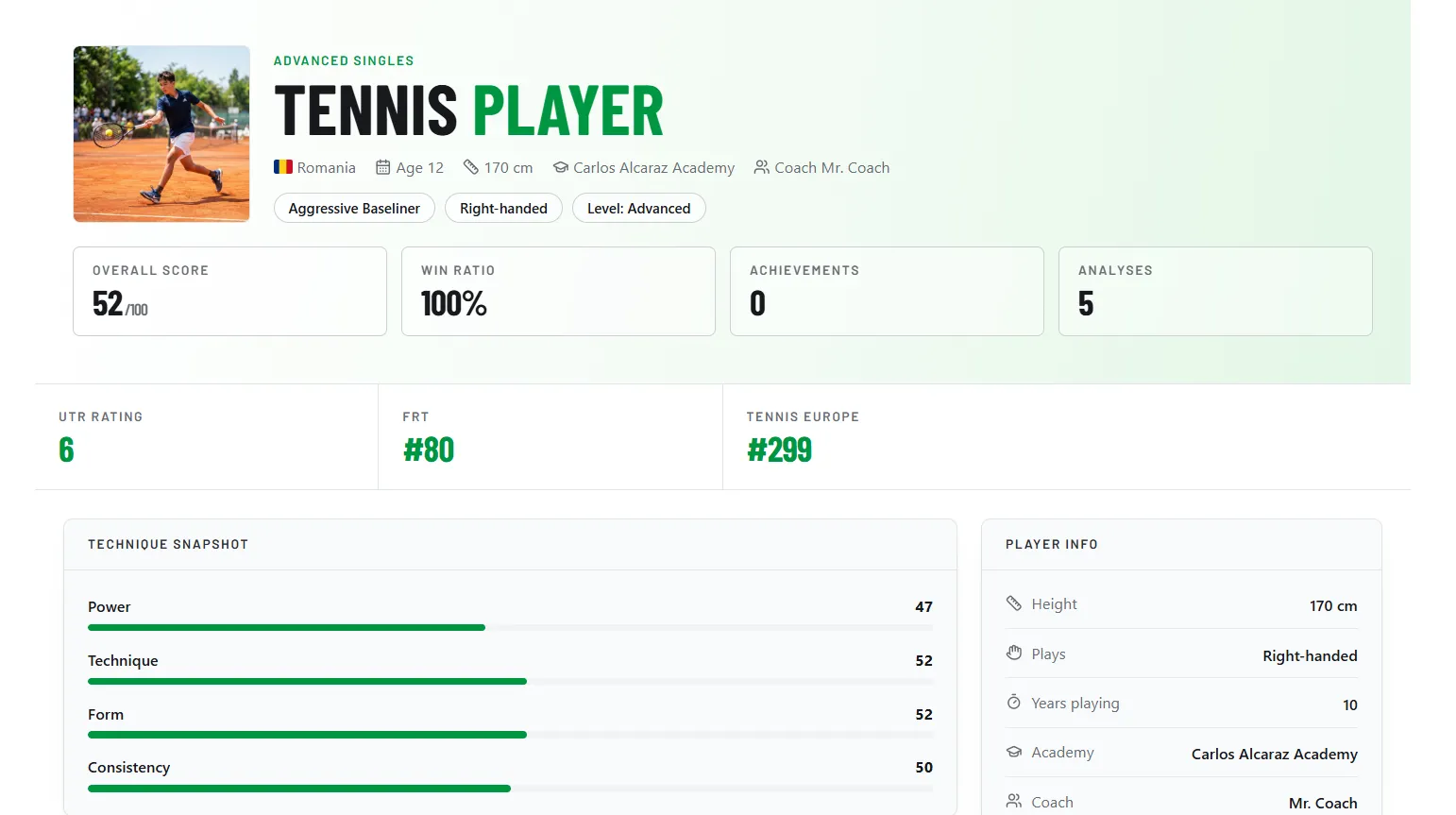
For families who also want technique analysis and a shareable player profile alongside match scoring, a combined platform removes the need to juggle a separate scoring app, a separate video analysis tool, and a separate way of presenting everything to a coach. This is exactly the gap the TennisDex dashboard is built to close: score a match live from the fence, and win rate trends, shot breakdowns, and serve stats build themselves automatically into the same profile used for technique tracking and recruitment.
Score your next match from the fence — free.
Live point-by-point scoring, automatic stats, and a match history that builds itself — no spreadsheet required.
Start Scoring FreeFrequently Asked Questions
Do I need an account to score a match?
It depends on the app. Some require sign-up to save history and enable sharing; others let you score anonymously with no personal information required. If you plan to build a long-term match history for development tracking, an account-based app is worth it since it preserves data across matches and devices.
Can more than one person score the same match?
Most apps are built around a single scorer per match to avoid conflicting inputs, but many support transferring "ownership" of the live scoring to a different device mid-match, and separately allow unlimited people to follow along and view the score without being able to edit it.
What happens if I lose my phone signal mid-match?
Well-built scoring apps keep working offline and store the match locally, syncing automatically once a connection is restored. The score itself is never lost — only the real-time sharing pauses temporarily.
Is manual paper scoring really that much worse?
For a single casual match, not particularly. The real gap shows up over time: paper scores rarely get compiled into a searchable history, so the trends that matter for development or recruiting — serve consistency, error rates, win rate against certain playing styles — never surface. An app makes that history automatic instead of dependent on someone transcribing paper notes later, which in practice almost never happens consistently.
Where to Learn More
- Want to know what to do with the stats once you have them? Read How to Track Your Junior Tennis Player's Progress
- Curious how match history feeds into recruiting? See What College Tennis Coaches Actually Look For in a Recruitment Profile
- See how match data, technique, and profile come together in From Club Matches to NCAA: How to Build a Tennis Track Record